|
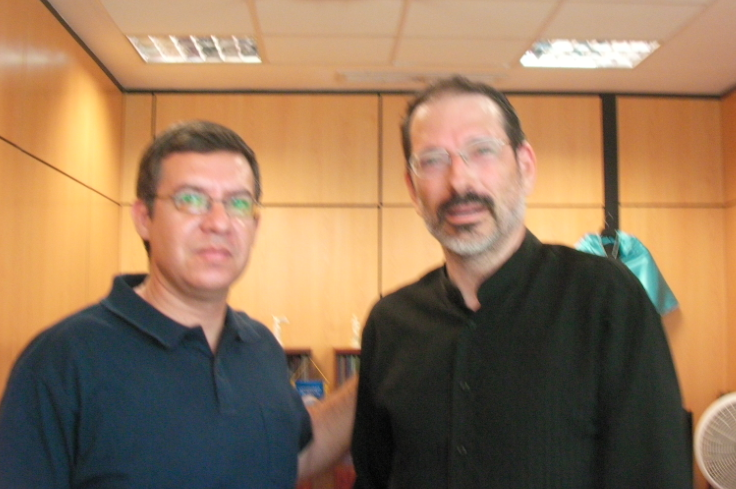
An interview with Dr. Richard E. Clark (cogtech.usc.edu)
on a computer from 2002 (it's a time machine) |
You are invited to participate in contributing to the next edition of this workbook. It will be called Making IT Easy for Teachers: Instructional Technology Step By Step
(Get it? IT = Instructional Technology)
Here are some highlights from the course that I taught 8-11 April 2013 at the Faculdad de Lenguas Extrangeros (FLEX).
Unfortunately, to most people, teaching is the giving of knowledge. What are you going to tell the students? What is your expertise? But teaching is really about bringing out what's already inside people.
Dennis Littky, MetCenter.org, The BigPicture: Education is Everyone's Business (2004), ASCD.org, with Samantha Grabelle.
Excerpts
This book is a workbook. Please write in this book. Please cut out the posters. Please hang the posters.
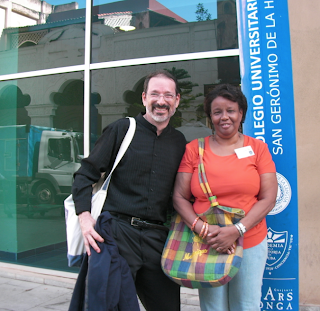 |
Myriam Padrón at the night university for workers who are
restoring Old Havana. Myriam is a professor of English as a Second Language |
This book should not be measured by the number of hits that the videos get (that result from the lectures given about this book). This book should be measured by what the “students” (participants) create. You. You are the measure of this book.
The participants of this workshop will create digital portfolios and projects that could bring the methods of Dennis Littky, Dennis Yuzenas, Enrique Gonzales, Elliot Washor, Eliot Levine, Matt Blazek, Katie Gimbar (“The Flipped Classroom”) and Mario Llorente into thousands of classrooms. The posters of Richard Clark, Barak Rosenshine, Dan Pink and others could spread because of you.
The goals of this book are (1) to get the posters in this book on the walls of classrooms that lack the Internet connections... and (2) to get the procedures into the minds of
students, so that the students ask their teachers for fully guided instruction. I hope that Richard E. Clark's 2005 chapter about the “popular but misguided principles of multimedia learning” will guide teachers.
 |
Vice Dean of the University Dr. Felix Julio Alfonso López
Unversidad de la Havana, Colégio San Gerónimo
(who has books about the colonial music of Cuba).
Can you imagine what it must be like to walk
the streets of Sevilla or Madrid and
"hear" what is in his mind? |
If you think this class is about “technology in classrooms,” then we have covered only 10% of the topic. Most of our time should be discussing “how do we change the core beliefs of our students so that they can use technology better?” We might need to change some of our core beliefs, too.
The readings mentioned in this book should inspire the participants of this workshop to produce procedures and lesson plans. As Gordon Dryden hoped, these procedures and lessons will be distributed to teachers who lack many of the devices that are mentioned in this book.
This book is for participants. You who read these pages can bring these procedures into classrooms and ensure that students will not be
bored. No more boring lessons. No more bored students. When a student daydreams or sleeps in class, a teacher probably needs
retraining. Your projects, procedures and digital projects will be part of the package that helps retrain teachers to become guides on the side.
This is a workbook about using technology. You don't need a direct connection with the Internet to benefit from technology.
“Technology in the Classroom” for many teachers means “wifi in the classroom” and “computers for every student.”
This book is for classrooms that have access to one computer and a way to store student work.
WRITE:
What are three ways to store information? What technology do you need to store information?
______________________________________________________________
______________________________________________________________
______________________________________________________________
You can store the work of students on paper at first, but the goal is to create digital storage (the digital portfolio).
You don't need the Internet, but we look forward to learning about your work when you eventually put your portfolio on the web.
Suggested Technology
a) A way to show your lectures (for students to prepare before class). “Watch.”
b) A way to give students space to work on projects. “Create work.”
c) A way to let students know that they are responsible for their learning. “Send messages.”
 |
| Two posters based on the work of Richard E. Clark |
d) A way to capture the “performances of understanding” or exhibitions or presentations by students.
“Record.”
===============================
In my classroom in the USA, students have their own devices and I depend on the Internet. a) Watch: Students watch my lectures on YouTube.
b) Create work: Students create their work on Google Drive, on blogs and on their own sites Google websites.
c) Send messages: Students get messages from me and using email. to students A way to let students know that they are responsible for their learning.
d) Record: Students use their phones to video their exhibitions or presentations. Those videos are stored on YouTube.
This is called “watching videos at home, checking understanding in class and putting projects into portfolios.”
EXERCISE: How can we duplicate this “watching videos at home” system without using the Internet? Before we look at this question, let's make a list of technologies.
 |
| Dr. Clark's poster is on a wall in the Teachers' Room |
Now let's talk about why we want to use technology in the classroom. Here's my test. Substitute any word in the following sentence:
I want to use [ _________ ] to teach English** in the classroom
a tool box ice cream a helmet a mouse a dog
a cat
a bicycle a pile of dust a TV a computer connected to the Internet a banana a textbook
oh. wow. I want it. I know that __________ will benefit my students. Isn't it obvious?
Computers ipad video cameras facebook digital portfolios
**choose your subject.
WRITE: What do you dream about? What do you want to use in your classes?
Your school has been given $10,000. What will you buy? How will you use that technology?
_____________________________
_____________________________
 |
Books by Dan Pink, Malcolm Gladwell and Ken Robinson
are in the Vice Dean's office for teacher training.
Contact Mercy84@flex.uh.cu |
_____________________________
_____________________________
_____________________________
_____________________________
_____________________________
We will see that we teachers often tend to expect technology to bring special benefits. Research tells us something different. Let's read on...
Principles about Using Instructional Technologies (Four “Laws”)
I attended a doctoral program at Nova University (online) about instructional technologies and distance education between 2010 and 2012. The program has four basic ideas:
(1) There is distance between the teacher and the student.
(2) Media do not cause learning.
(3) Media do not cause motivation.
(4) Methods can be equivalent even if they are not equal.
“Transactional Distance”
 |
| One of the key quotes to start the workshop. |
(1) There is distance between the teacher and the student.
We can use technology to reduce the distance between professor and student. In the face-to-face classroom, there is a distance between the teacher and the student.
There is teaching and there is a separate stage of learning. We usually don't see the distance since it often appears that the learning takes place moments after the teaching.
In the online or distance learning situation, there is usually a video or reading that is posted for the student to watch or read. There is time between the teacher's action (putting the video or reading online) and the student's action (reading or viewing the video).
(2) Media do not cause learning.
Here is a paragraph from an academic article that has been quoted many times:
Media are mere vehicles that deliver instruction but do not influence student achievement any more than the truck that delivers our groceries causes changes in our nutrition. Only the content of the vehicle can influence achievement. It is what the teacher does – the teaching – that influences learning.
Reconsidering Research on Learning from Media
Richard E. Clark
(3) Media do not cause motivation.
Motivation With Media
Media are also not directly responsible for motivating learning. Motivation [is connected to] learners' beliefs and expectations about their reactions to external events -- not to external events alone. Students' beliefs about their chances to learn from any given media are different for different students and for the same students at different times.
Note: This paragraph comes from an article that is based in part on a debate between Richard E. Clark and Robert Kozma at the 1993 international convention of The European Association for Research on Learning and Instruction at Aix en Provence, France, September 4,1993, and on a February 1991 article by Clark in Educational Technology titled "When Researchers Swim Upstream: Reflections on an Unpopular Argument About Learning From Media" (pp.34-40).
 |
Learning styles? not effective, according
to the literature reviewed by
Dembo and Howard and
cited by Richard Clark. |
(4) Methods can be equivalent even if they are not equal.
The learning after the face-to-face session will be “equivalent” to the learning after the online session. Why?
In the face-to-face session, a person who is not a native speaker might not participate immediately. The teacher might add an additional story or support the spoken lesson with some key words written on the board. Those key words might already be in the online lesson.
In the online version, the non-native speaker might participate more quickly or might write more than the same person might speak in the face-to-face class. The participation might not be “equal” but the work could show equivalent amounts of learning.
"The teacher of online instruction should provide a wide collection of activities that make possible equivalent learning experiences for students using an approach that recognizes fundamental differences between learners, distant and local. Equivalency is more difficult but promises to be more effective."
(Michael Simonson, International Trends in Distance Education, p. 284) There's a difference between online (distance) learning and face-to-face learning. The methods are not equal. However, there can be equivalent results. Jerome Feldman concludes that a blended approach often gets the best result. See Chapter 16 in Feldman's book The Art of Teaching and the Science of Learning.
Five Questionable Principles about Multimedia Learning by Clark (2004)
When I went to cogtech.usc.edu, the University of Southern California website, I found articles by Richard E. Clark that I could easily download. I didn't need to use a doorway through my university's library. This is a part of a campaign to allow free access to journal articles (see a tribute to Aaron Schwarz in the Appendix). The agreement is “just read, don't download.” However, what does a person do if there is no continuous broadband Internet? Can I study an article when I go home to slow or no Internet? No, so I need to download the article.
Instead of sending you the link (and asking you to find the Internet to connect with and read the article), I can send you the article. I can download the article, then copy it with dozens of other articles and give you the ebooks ... and you don't have to go hunting for the article. You can start reading.
The following six pages is a condensed version of Richard Clark's 2005 article.
Five Common but Questionable Principles of Multimedia Learning
Richard E. Clark Rossier School of Education University of Southern California and David F. Feldon Graduate School of Education & Information Sciences University of California at
Los Angeles The Cambridge Handbook of Multimedia Learning, edited by Richard Mayer Copyright © 2005 Cambridge University Press. Reproduced with permission (in green font)
This chapter describes five popular but false principles about multimedia learning.
These beliefs include: 1) multimedia instruction causes more learning than live instruction or older media; 2) multimedia instruction is more motivating than other instructional delivery options; 3) multimedia instruction provides computer characters that aid learning; 4) multimedia instruction helps different learning styles and so maximizes learning for more
students; and 5) multimedia instruction supports discovery approaches (projects) that are beneficial to learning.
Principle #1: Multimedia instruction causes more learning than live instruction
Many learning benefits from technology can be explained by other, non-multimedia factors. While many learners seem to welcome the visual entertainment, learners are often overloaded by
distractions or the effort of processing extra information so their learning is reduced. A visual and a written description will result in better learning than presenting the same information
in one form alone.
 |
Posters that are now in the Teachers' Room in
FLEX, university of Havana. Curated by
Profesor Rosa rosa2@flex.uh.cu |
The advantages of multimedia instruction
Multimedia reduces the cost of instruction, including time savings for students and instructors and increased access to instruction by isolated groups of students.
There's a lot of text here. Let's throw in some images from a school in Florida that uses technology in the classroom. Source: Dennis Yuzenas, WhatDoYaKnow.com. The book with the orange cover is A Whole New Mind by Dan Pink.
Principle #2: Multimedia Instruction Is More Motivating than Traditional Instructional Media or Live Instructors
Some people believe that “a primary function of television, computers, and telecommunications in distance learning is to motivate students rather than just to provide information to them.” Multimedia courses may be more attractive to students and so many students choose multimedia courses. However, “high interest by students” causes less learning than would have occurred in “instructor led” courses.
Do motivated students learn less in multimedia instruction? Courses reporting high levels of student interest show lower levels of achievement. End-of-course measures of high interest are linked with LOWER end-of- course achievement. When achievement increased in multimedia distance studies, student interest and satisfaction decreased. “Student satisfaction might not indicate success, since students spend less effort, especially when they choose multimedia courses instead of regular courses.”
Perhaps students expect that newer media will be a less demanding way to learn. Students invest less mental effort, and achieve less, when compared to face-to-face classes that students say are more demanding.
Mental effort. Many learners are not aware when they become overloaded. The mental effort may be influenced by the level of difficulty in a multimedia course. When learning tasks are too easy or impossibly difficult, mental effort decreases radically. Students report the amount of mental effort they are investing in easy to moderately difficult tasks. Students seem unaware when they stop investing mental effort as learning tasks become difficult or impossible. Designers should not give students complex tasks or screen features that overload working memory.
 |
| Clark's poster, Part 1 |
Persistence in multimedia courses Students might choose multimedia courses because students expect that they will receive more individualized instructor contact. In a survey of a group of online students, 68% of the 40 respondents said they enrolled online rather than self-study because they wanted instructor feedback and guidance through the course. Most students also believe that the instructor contact enhanced their learning in the course.
Multimedia instruction can include more instructor-to-student contact, which might increase the value of the course. If increased interaction is missing, motivation to stay in the course might disappear.
Principle #3: Multimedia Shapes Instruction for Different Learning Styles
Individual differences between people may impact instruction. Shaping multimedia instruction to different learning styles might not improve learning.
Cognitive styles and learning preferences. Some researchers believe that cognitive styles and learning preferences can contribute to how much learning takes place. Unfortunately, there is no link between the subjects’ style and their performance on the reasoning tests.
Motivation/goal orientation. Goal orientation refers to the source of an individual’s motivation for learning. Those who are classified as having “mastery goal orientations” look new knowledge for their own satisfaction and are not motivated by comparing their performance to the performance of others. In contrast, “performance-oriented learners” invest effort in learning primarily to get public recognition.
 |
| Clark's poster, Part 2 |
Intelligence. Fluid reasoning ability can predict performance on novel problem- solving tasks. However, after instruction familiarizes learners with a set of skills and problems over time, such advantages diminish. High levels of deliberate practice are necessary to excel in a domain.
Prior knowledge. Existing knowledge can also explain individual differences in academic results. When novices acquire knowledge, the learning is slow. The effort to process information decreases after skills are practiced. Learners with low levels of knowledge need more instruction to minimize the level of unnecessary mental load. By reducing the amount of effort by novice learners, more capacity is available for the accurate recording of material.
If unstructured information is presented to the novice learner, he will become overloaded and performance will suffer. Conversely, learners with higher levels of prior knowledge benefit from less structured instruction. The novice requires support to organize the information. For the more knowledgeable learner, additional instructional support will often impose unnecessary cognitive load, resulting in decreases in performance.
Conclusions about accommodating learning styles. The assessment of prior knowledge for the customization of multimedia instruction offers great promise. Learner support should be faded out as learners acquired more knowledge. Rapid assessments of learners can shape the course of computer- based instruction to improve achievement.
NOTE: Unfortunately, learning styles has been embraced by the faculty and many of the students at universities in Cuba.
Principle #4: Multimedia Instruction Can Provide Active Pedagogical Agents that Increase Motivation and Aid Learning
in other words: Computer characters can sometimes teach better than a live teacher.
Animated agents are defined as “a computerized character designed to facilitate learning.” Agents “can focus a learner’s attention by moving around the screen, using gestures, providing feedback and conveying emotions.”
Conclusion – Differences in student learning might not come from attention caused by the agent, but from the method provided by the agent. Is the animated agent the only way to deliver these lessons? If alternative ways can deliver the same lesson with the same learning and motivation, but with less cost, shouldn’t we choose the least expensive option?
Using a human voice without the image of an agent is enough to cause learners to interact with a computer like a person.
Posters are an important “technology” available for the learning space. Dan Pink writes about the importance of “right-brain” thinking, which includes “design” and “story,” in his 2005 book, A Whole New Mind.
Principle #5: Multimedia Instruction Provides Learner Control and
Discovery Pedagogy to Enhance Learning
Many people believe that that it is best when learners use unstructured learning or solve new problems without instructional supports. However, this assumption about pure discovery learning has been tested repeatedly and is less effective than well-structured, guided instruction.
 |
| Clark's poster, Part 4 |
Cognitive load theory. Developed by John Sweller and his colleagues, the theory looks at the limited capacity of working memory. As novice learners develop skills, the information occupies less “space,” which allows for the processing of more advanced elements and complex problem solving. Mental resources must be used if external supports and carefully controlled presentation of material are not used.
. Instructional support. As learners gain mastery of basic knowledge, their need for external supports decreases. Providing more structure than needed can impose extra load on working memory. We should reduce instruction when the learner’s level of expertise increases.
Pure discovery learning does not use instructional supports, so it imposes large amounts of extra mental load on new learners, and increases the amount of time and mental effort. However, expert learners have been found to perform better after learning in unstructured environments. Pure discovery learning is beneficial only to those learners who don't require additional training.
Biology teacher François Savain talks about “digital projects in classrooms” with Dr. Abraham S. Fischler, president emeritus of Nova Southeastern University, consultant for K-12 school transformation and author of commentaries in Building More-Responsive Schools.
 |
| Clark's poster, Part 3 |
General Conclusion
Multimedia instruction can reduce a) the time needed to learn, b) the time needed by teachers, and c) the cost of learning. Like all new and exciting educational innovations, multimedia also suffers from mistaken beliefs. Conclusion (1): Multimedia does not increase student learning beyond any other media including live teachers.
Conclusion (2): Multimedia may be a more attractive option for instructions by students than older media. However, as student interest in multimedia courses increases, learning decreases because students may feel that learning in these courses requires less work.
Conclusion (3): The flexibility of multimedia permits us to change the instruction to help a variety of learning styles. However, researchers have failed to prove this assumption.
Conclusion (4): The two most promising individual differences that can be used to shape instructional programs are the prior knowledge and learning goals of students. These do not require the use of multimedia.
Conclusion (5): Putting computer characters (agents) into multimedia courses reduces the lesson's benefits. Why? The computer characters often overload the memories of the students. Agents may be expensive and unnecessary. Narration can achieve similar learning results at lower cost.
Conclusion (6): Multimedia advocates have often supported discovery and problem-based learning. The flexibility of multimedia technology permits students to move between lessons. This control seems to harm learning for students with less prior knowledge. Strong instructions seem to interfere with the learning of more advanced students. Changing instructions to meet the student's prior knowledge is beneficial, but it does not require multimedia instruction.
The main concern addressed in this chapter is the need to check research evidence for the presumed benefits of instructional media. Research sometimes provides counterintuitive evidence. New research prevents us from causing damage or investing in instruction that does not support learning. Research can also point in directions that can lead to increases in achievement such as Corbett’s (2001) two-sigma gain in learning with a 40-percent reduction in learning time.
END OF EXCERPT from
Five Common but Questionable Principles of Multimedia Learning Click here to see the article. http://www.cogtech.usc.edu/
After reading these posters, you might think, “How can we use technology to support these steps?”
Some teachers suggest that students can learn through projects. I've tried this procedure with a group of 27 students (ages 13-16) from Ecuador, Chile, Spain and Hungary in January 2012. I was asked to teach them for five weeks and I asked every student in the class to work on projects to learn and practice English grammar and vocabulary. Big mistake!
Clark points out: projects are good for “advanced, motivated students.” Please notice the sections of the following paragraphs with the BOLDFACE letters:
Yet some of us part company with problem-based learning advocates when they require learners to invest effort in order to construct a solution to an authentic problem when an effective solution is available. Savery and Duffy (2001) want students to “engage in the construction of history” in order to learn historical analysis and when learning science, “we do not want the learner to [learn to] ... execute scientific procedure as dictated – but rather to engage in scientific

problem solving [designed for the developmental level of the learner]” (p. 4). They suggest, “The
teacher’s role should be to challenge the learner’s thinking – not to dictate or attempt to proceduralize that thinking” (p. 5). The key issue is whether learners will be required (forced, dictated) to discover or invent any part of their own learning support or the curriculum they are learning. This issue is subtle but vital in understanding what Mayer (2004) and Kirschner, Sweller, and Clark (2006) believe to be the reason why many instructional treatments in the past have failed to show adequate benefits.
Clark (2009). How Much and What Type of Guidance is Optimal?
=======
If you would like to see the full "first version" of this workbook, click here.
Special note to my colleagues in the ITDE program at Nova University: Do you remember the project called "The Ten Principles of ITDE"? If you have a presentation that you would like to share (as a supplement for the Off-Internet Use of Technology in Teaching), please contact me. For example, how about the Hagen principle:
The Hagen principle of team assessment for collaborative feedback to reduce the transactional distance


 I find it interesting that the belief in learning styles is very persistent. This series of quotes comes from an article by Steven Stahl.